




How to Install Balatro on Android and iOS

How to Install Balatro on Android and iOS
In the brief period since its debut, Balatro has already emerged as one of the most beloved independent games of the year. It was first made available for PC, Mac, PS4 and 5, Xbox One and Series, and Nintendo Switch in February 2024.
The creator has already stated in a Reddit AMA that the game should be available for iOS and Android shortly. However, we can make that day happen now by utilizing the internet and encouraging enthusiastic developers to share their tools.
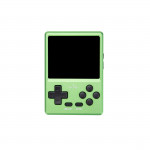
Following this approach, you can play Balatro on any Android-powered retro handheld Android device and/or iPhone or iPad sitting around. The simple approach can help you discover your next favorite idle game if you have five minutes to spare.
- What's Needed
- Prep Work
- Optional: Decide if You Want to Use Mods (PC only)
- Prep Work
- Install Balatro on Android and iOS
- 1. Run Balatro Mobile Maker
- 2. Answer Some Questions
- 3. Answer Some More Questions
- 4. Optional: Port Saves From Steam to Android and Auto-Install (PC only)
- 5. Grab the .ipa Or.APK and Install It
- Wrap-Up
- What's next?
What's Needed
- An iOS or Android gadget (for instance, any vintage handheld with an Android platform)
- Balatro installed on a Windows computer or macOS
- Balatro on Steam
- If using an iPhone or iPad, use AltStore and AltServer.
- AltStore Installation Guide
- Balatro Mobile Maker's most recent release
- Balatro Mobile Maker's most recent release on GitHub
- Users of Windows:Beta-balata-mobile-maker-win-x64.exe
- Beta-balata-mobile-maker-beta-0.8.3-osx-x64 users of macOS: UNTESTED
- Balatro Mobile Maker's most recent release on GitHub
- If you wish to enable mod support (PC only), use Steamodded 0.9.8.
- 0.9.8 Release of Steamodded on GitHub
Prep Work
Follow the AltStore Installation tutorial if you're using this tutorial to download the game to your iPhone or iPad. AltStore is compatible with Windows and macOS, and its developers, Riley (who created Delta) and Shane, will regularly update the tutorial.
Note: For iPhones or iPads, navigate to Privacy & Security approximately halfway down the Settings app page. Turn on Developer Mode, which is located at the bottom of that page.
Connecting your device to a Mac running Xcode lets you activate Developer Mode if you don't see it. The best and quickest way to install Xcode is through the Xcodes multipurpose software, although Xcode is a notoriously slow download from the Mac Software Store.
- Xcodes App on GitHub
Ensure you can install.apk files from sources other than the Play Store if you're running Android. When you try to open an APK on most vintage handhelds, Android will prompt you to activate the feature, letting you know exactly where to go and what to enable. It might be hidden behind a Privacy & Security setting on other devices, such as phones and tablets, but if you search for "install" within the Settings app, you can easily find it.
For comparison, I downloaded Chrome on my RG Cube after submitting it online. It brought up the dialog box below, which took me straight to the option to allow the installation of "unknown apps." Yours should have the Allow from this source toggle set to On.
Optional: Decide if You Want to Use Mods (PC only)
Although support for mods in Balatro is still in its early stages, some already exist that alter the game, add new items to unlock, and change many visuals. Direct access to Balatro Discord's modding forum is the best approach to seeing the most well-liked and active ones.
Steamodded 0.9.8 must be injected into the game to allow mod support in the.ipa or.apk you produce. Download the steamodded_injector.exe from the Steamodded 0.9.8 release page on GitHub. Just run the executable, and after it's done, Steamodded will be injected into your copy of Balatro.
I recommend turning on mods if you install your Balatro on a vintage handheld. By modifying the provided CustomFont.lua in your preferred text editor, you can alter the font and enlarge it using the CustomFont mod by MathisFun_. Text can occasionally be challenging to read, even on a mobile device with a giant screen.
- Mirror link for CustomFont by MathisFun_
Install Balatro on Android and iOS.
Let's go on to the guide.
1. Run Balatro Mobile Maker
Locate and double-click the balatro-mobile-maker-beta-0.8.3-win-x64.exe file you downloaded if you're using Windows.
You must adhere to a set of instructions on macOS. Run the following commands after launching the Terminal application (/Applications/Utilities/Terminal.app):
- cd Downloads – change directories to the Downloads folder
- Attr -d com. apple. Quarantine UNTESTED-balata-mobile-maker-beta-0.8.3-osx-x64 – removes the downloaded app from macOS's Quarantine.
- chmod +x UNTESTED-balata-mobile-maker-beta-0.8.3-osx-x64 – makes the app executable
- ./UNTESTED-balata-mobile-maker-beta-0.8.3-osx-x64 – runs the app
2. Answer Some Questions
The app will pose a few questions regarding your choices:
- Automatic Cleanup — To develop the app, the script downloads a few additional tools and apps; once it's finished, this setting removes them.
- Extra Logging — makes a log file if any errors occur.
- Build for Android — builds the .apk
- Build for iOS — builds the .ipa
For the ones you want, press "y," and for the ones you don't, press "n." Since I have both an iOS and Android device, I press "y" for each. I would also like the program to provide more log information and remove any files it downloads.
The app should then download and install the different programs and inform you at every stage.
3. Answer Some More Questions
- FPS Cap — restricts the frames per second to the natural limit of your device, which can help save battery life.
- Landscape Orientation —Turning this on would allow the game to only play in landscape mode.
- High DPI —high DPI for higher-resolution devices
- CRT Shader Disable — turns off the game's default CRT shader, which is primarily decorative.
To install the patches you want, press "y" or "n." Except for the FPS cap, I hit "y" on each one. Start at the beginning of this guide and select "y" when prompted about the FPS cap patch if you have problems with battery drain.
4. Optional: Port Saves From Steam to Android and Auto-Install (PC only)
After asking whether you want to use USB Debugging to transfer your Steam saves to Android, the program will ask if you will install it automatically. Pressing "y" for either will cause a second question: whether the device is connected and whether USB Debugging is enabled.
Before proceeding, make sure your Android device has USB Debugging enabled. Navigate to the Device Info or Basic Info settings pane in the Settings app, then tap the Build number until the message "You are now a Developer!" appears. You need a new System settings entry called Developer options, with USB Debugging listed there. When you turn it on and connect your Android device to your PC, a prompt to authenticate your computer will appear. Press "Allow."
For iPhone users, the Game folder should be located inside the Balatro folder under the Files app, On My Device. The identical files that are saved on your computer should be visible there.
The default save locations are:
- Windows: C:\Users\<Username>\AppData\Roaming\Balatro
- macOS: /Users/<Username>/Library/Application Support/Balatro
On macOS, the Library folder is hidden by default. Command + Shift + can be used to reveal hidden files (Time frame). Alternatively, in Finder, select Go, then Go To Folder, and enter the entire path as indicated above, substituting your username.
Likewise, the AppData folder is hidden on Windows. Entering \AppData in the path bar after navigating to your folder is the simplest method to access it.
5. Grab the .ipa Or.APK and Install It
After that, a balatro.IPA and/or balatro.apk should appear in the same folder as the binary or.exe file you previously downloaded.
You can move the .apk file to your Android smartphone in whatever way you choose. You can email it, host it online, or—the most straightforward option—pop it onto an SD card. If you followed the instructions in the section above under "Port saves from Steam to Android and auto-install," the app should have been installed automatically with your saves.
If you installed AltStore on your iPhone by following the instructions at the top of this page, you can send the.ipa file to your phone via email, messaging, hosting online, AirDrop, iCloud Drive, or any other method.
Wrap-Up
Your device should now have Balatro installed. The game's developer, LocalThunk, has already stated that preparations are underway to offer an iOS and Android version of the game soon. Even when that day comes, this article can be a valuable resource to learn how to use any vintage handheld, enable USB debugging, and understand how instructions are executed on macOS.
Retro handhelds are available with various chipsets, operating systems, and sizes. Experimenting with your gadget can unlock new capabilities that you might not have otherwise discovered or explored.
This game has stolen my life and will undoubtedly continue to do so in the future. It is thrilling and entertaining, and the modifications make minor adjustments that extend its already absurdly lengthy list of unlocks. I've developed an addiction to it, and my tutorial will help others become proficient gamers.
What's next?
From here, there are a few things worth looking into.
- Automatically sync saves with Steam using Shortcuts on iPhone/iPad and macOS.
- Syncthing can automatically sync your Android and Windows/macOS saves if your Android device is rooted.
- If you've installed a mod-enabled version of the program on your device, you can browse the numerous available mods and add them to the "Mods" folder in your saves location. Most of my favorites are created by MathisFun0 and can be seen on their GitHub page. Once more, the best way to obtain mods is to search for the modding topic on the official Balatro Discord.
- You should see the same unlocks, save points, and profiles as you would on your computer if you migrated your saves. If not, you can execute thebalatro-mobile-maker-beta-0.8.3-win-x64.exe or manually port the saves to your iPhone. Select "y" when asked to move your saves.
I hope you and anybody you share this article with find it helpful. If you are having problems, I recommend conducting fast searches initially. As with most things, the solution is available online and on Reddit. As always, don't hesitate to ask other players for help with any issues you may have in the comments section below. I'll try to assist as well.